

Accessing Shop Settings
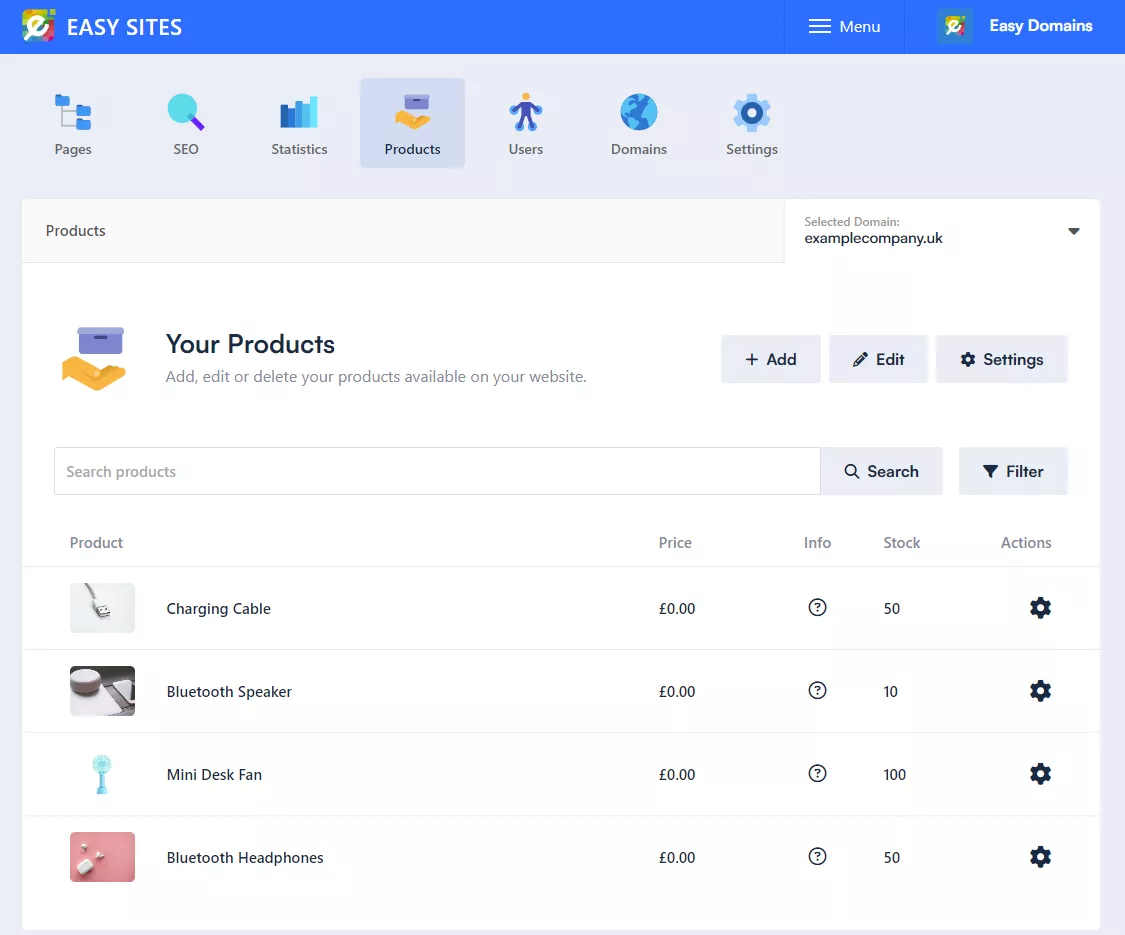
To access your shop settings, click on the "Products" tab, followed by the "Settings" button you see here:
Your shop settings are split into three sections: General (PayPal email address, minimum order price and VAT breakdown), Automation (changing all your prices by a percentage) and Delivery (your delivery options). Click a section to open it.
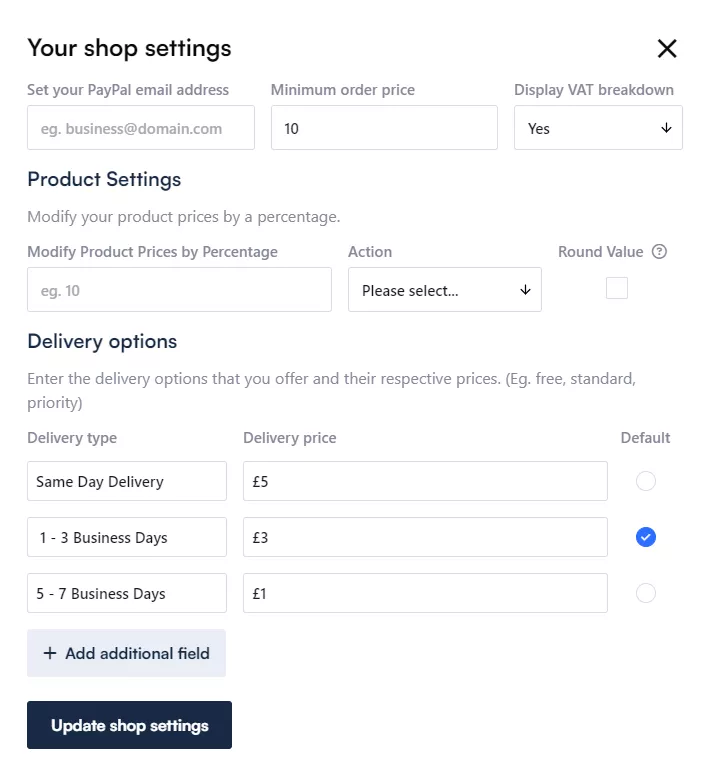
Now let's break down what each setting does:
What It All Means
PayPal Email Address: The email address that is linked to your PayPal account in order to receive payment from your website's shop.
Minimum Order Price: Set a minimum order price before customers are allowed to checkout.
Display VAT Breakdown: When set to Yes, your shop's basket will show how the VAT is calculated and include it in the total price.
Modify Product Prices By Percentage: Enter a value you wish to update your product prices by (in %).
Action: Increases or Decreases by inputted percentage value.
Round Value: Rounds product prices up or down after modifying by percentage.
Name: Set the name of a delivery option, for example Free, Standard or Priority.
Delivery Price: Set a delivery price for that delivery option.
Default: Sets the selected delivery option as the default at checkout.
Need Help?
We hope this tutorial has helped, if you experience any problems or need any assistance, don't hesitate to get in touch!