

Logging In
Start by signing in to your Easy Sites account. If you need help retrieving your login details, please contact us or follow this tutorial if you have forgotten your password.
After successfully logging in, please select "edit site" to alter any website you hold with Easy Sites.

Editing Products
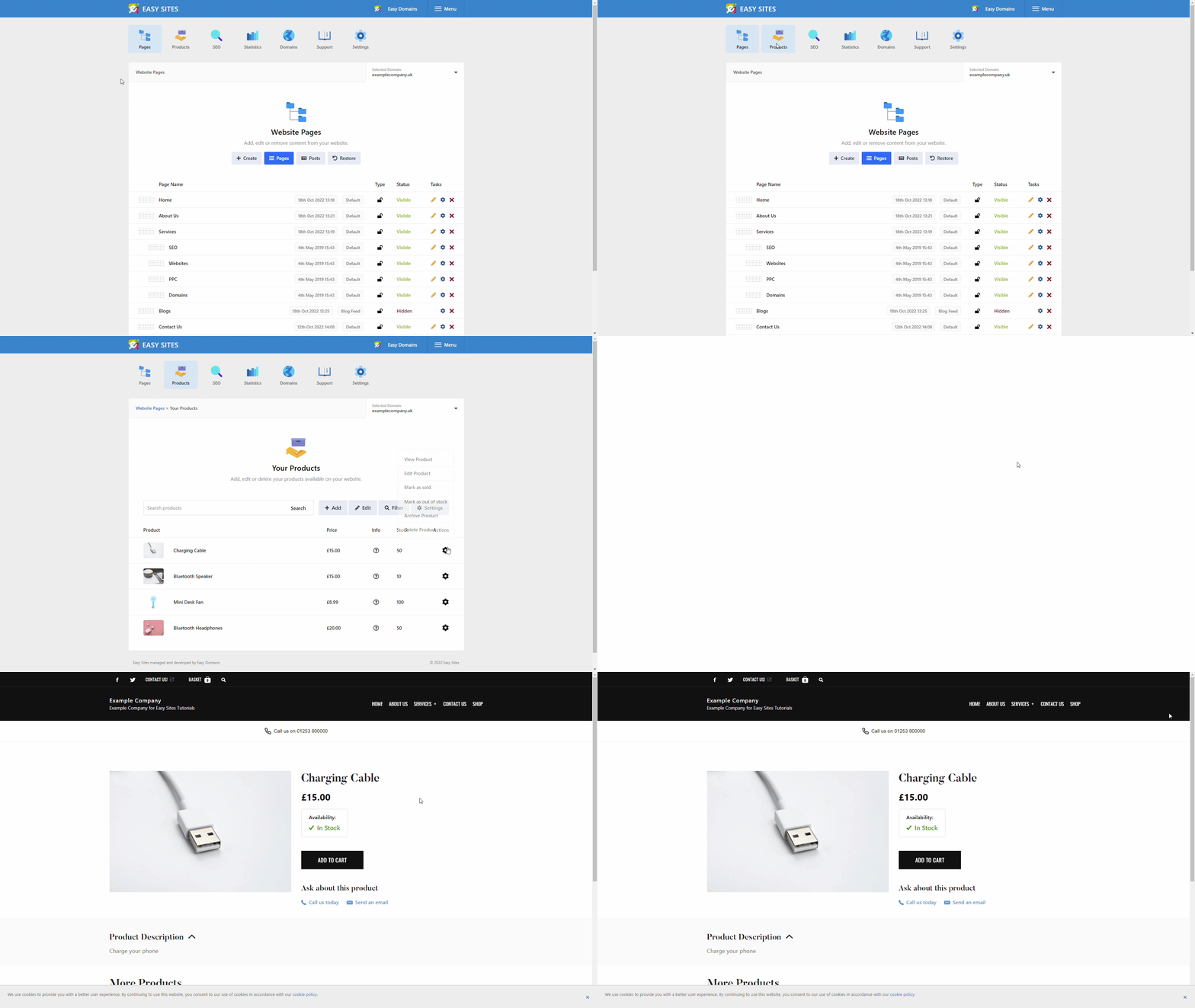
Click the "Products" tab, then "Your Products". Locate the product you wish to view and click the cog on the right-hand side, then click View Product from the dropdown box.
You will be redirected to a new tab of the product you have just created. Here you can see the overview of your product.
Need Help?
If you have any problems following this guide or wish to speak to us about adding a product to your website, please contact our team here.